
You’re Staring at a Blank Manuscript File… And Everything Looks Wrong
I’ve watched hundreds of new writers hit the same wall.
They finish the story. Proud moment. Then they try to format the manuscript and suddenly the whole thing feels… wrong. Weird spacing. Page numbers drifting. Fonts changing halfway through.
You start wondering if you broke something.
You didn’t. Everyone goes through this the first time.
Most of the confusion comes from two problems:
- People copy formatting from blogs that contradict each other
- Word processors quietly add hidden formatting junk
Here’s the good news: manuscript formatting is actually simple once you know the standard. Editors and agents expect something extremely boring and consistent. That’s it.
Nothing fancy. No clever layouts.
Just clean pages they can read fast.
Let me show you what professionals actually use.
The Standard Manuscript Format (The One Editors Expect)
Every publishing house and literary agent expects roughly the same format. It’s been around for decades because it works.
Here’s the core setup.
| Element | Standard Setting |
|---|---|
| Font | Times New Roman |
| Font size | 12 pt |
| Line spacing | Double spaced |
| Margins | 1 inch on all sides |
| Alignment | Left aligned |
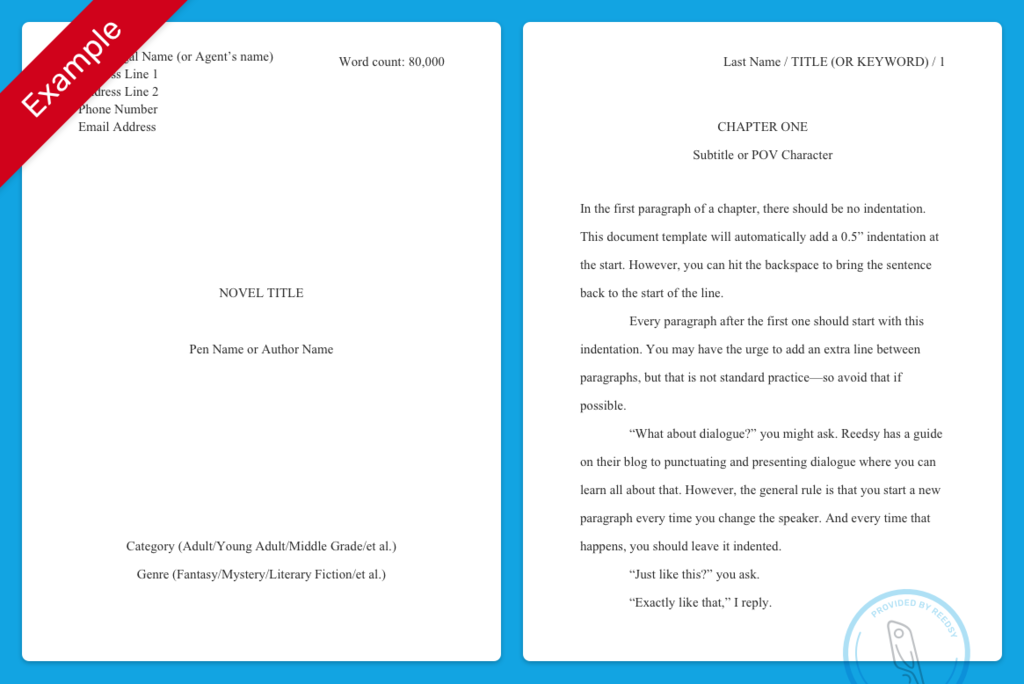
| Paragraph indent | 0.5 inch first line |
| Page numbers | Top right |
| Word count | Top right of first page |
| Chapter start | New page |
If you do just that, 90% of submission formatting problems disappear.
Simple. Clean. Easy to read.
Now let’s walk through the parts that trip people up.
The One Thing Everyone Messes Up First: Line Spacing
This is the mistake I see constantly.
People try to manually space things by hitting the Enter key over and over.
Don’t do that.
It creates invisible chaos in the document.
Instead:
In Microsoft Word
- Highlight the whole document (
Ctrl + A) - Go to Home
- Click Line and Paragraph Spacing
- Select 2.0
That’s it.
Double spacing lets editors write notes between lines. It’s not a style preference — it’s practical.
The First Page Setup (The Header Area Most People Forget)
4
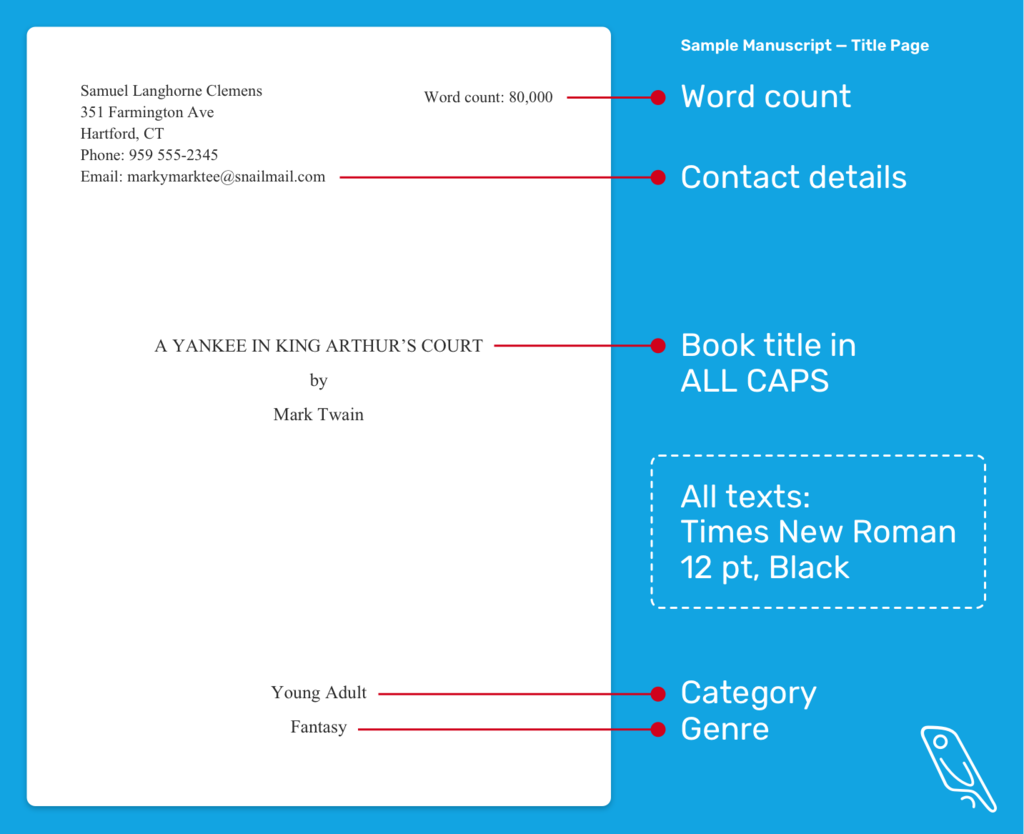
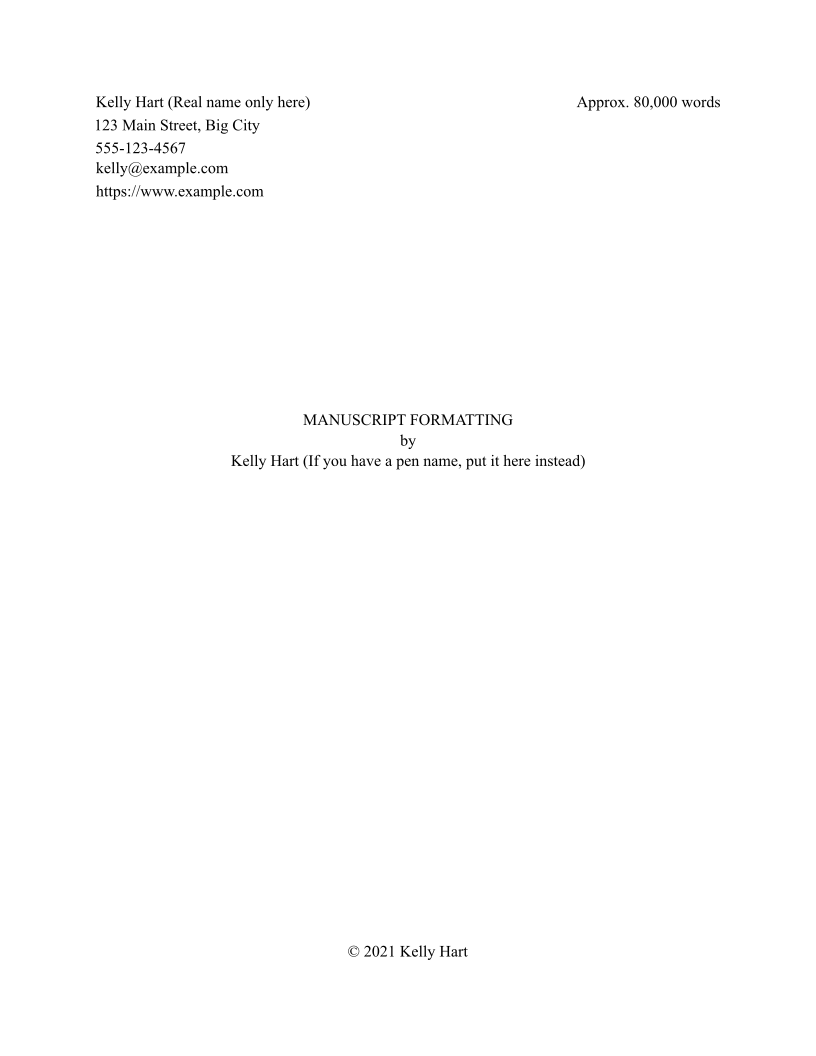
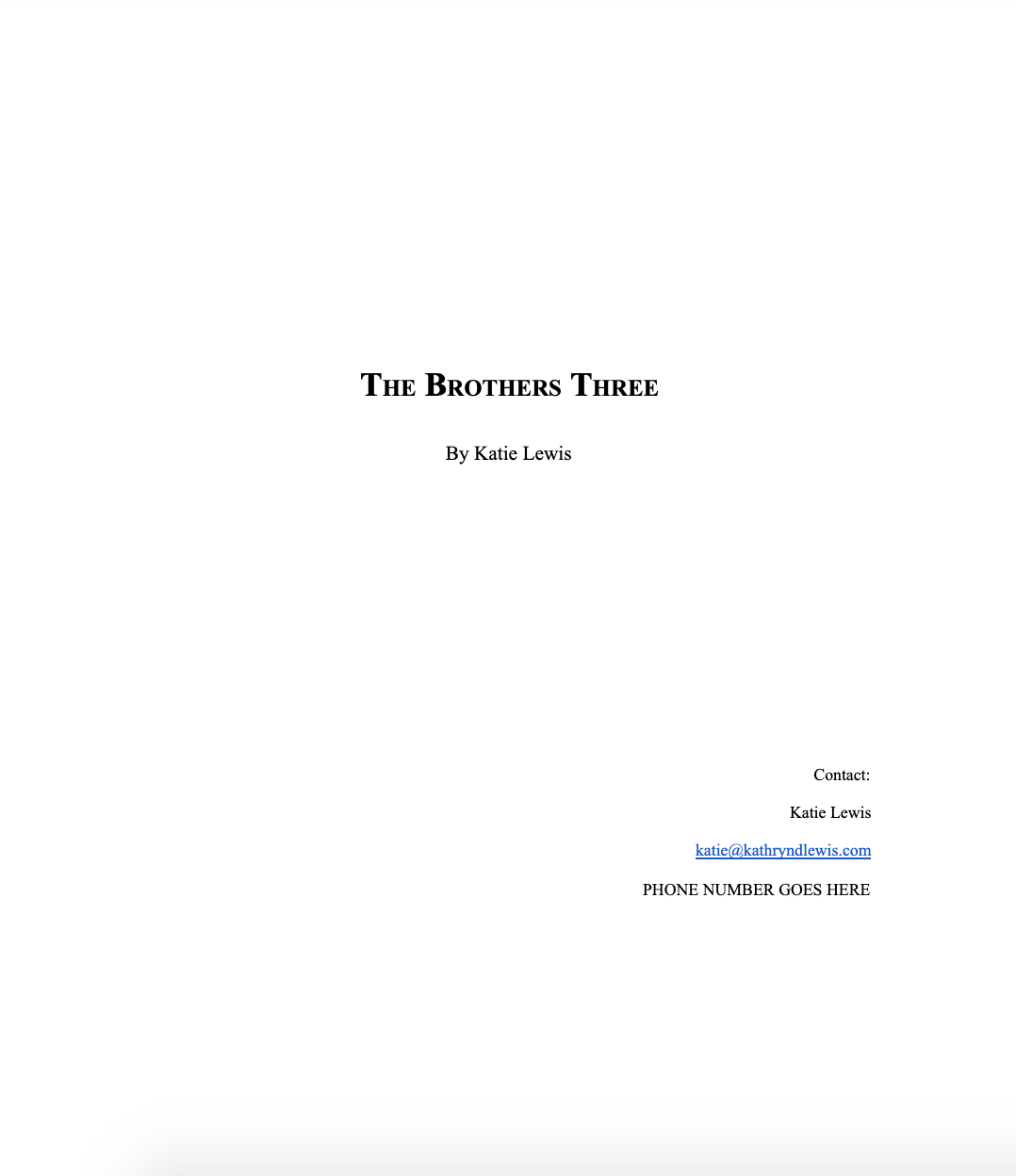
The first page carries a bit more information than the rest.
Top left corner:
Your Name
Address
City, State ZIP
Phone
Then skip a few lines.
Right side:
Approx. 82,000 words
Center of the page:
TITLE OF YOUR BOOK
by
Your Name
Then start the story a few lines down.
The manuscript itself begins normally with paragraph indent.
No bold.
No italics.
No fancy typography.
Publishing prefers boring formatting.
It keeps attention on the story.
The Header Every Page Needs
Every page after the first should have a small header.
Top right corner:
Lastname / Book Title / Page Number
Example:
Garcia / Silent Harbor / 12
Why?
Because editors print manuscripts.
Stacks get mixed.
The header makes it impossible to lose track of pages.
In Word
- Click Insert
- Choose Header
- Align text right
- Type the format above
- Insert Page Number
Done.
Paragraph Formatting (Another Hidden Trouble Spot)
You should never press the spacebar five times to indent.
That creates formatting nightmares later.
Instead:
Proper indent setup
- Highlight the manuscript
- Open Paragraph settings
- Under Indentation
- Set First line = 0.5 inch
Now every paragraph automatically indents.
Clean. Consistent. Professional.
Chapter Breaks — Don’t Fake Them
New writers do this:
Chapter 2
[Enter]
[Enter]
[Enter]
Eventually the spacing breaks when editing.
Instead:
Use Page Breaks.
The correct way
Press:
Ctrl + Enter
This forces the next chapter to start on a new page.
Editors love this because the manuscript stays stable during revisions.
Scene Breaks (Those Little Gaps Inside Chapters)
Sometimes you jump scenes without a new chapter.
Use a simple marker:
#
Centered on its own line.
Example:
Paragraph text…#Next scene begins here.
Why the pound symbol?
It’s the traditional publishing marker for a scene break.
Some editors use ***, but # is still the most common.
The Weird Edge Case Nobody Talks About
Sometimes your manuscript suddenly looks like this:
- Random fonts appear
- Spacing changes
- Paragraphs refuse to indent
Usually caused by copy-pasting from Google Docs, Scrivener, or websites.
Hidden formatting tags come along for the ride.
The fix professionals use
Paste text using Paste Without Formatting.
In Word:
Ctrl + Alt + V
Then choose Unformatted Text.
It strips everything down to clean formatting.
This trick alone saves hours.
A Quick Manuscript Checklist (Run This Before Submitting)
Open your document and scan quickly.
Make sure these are true:
- Times New Roman 12 pt
- Double spaced
- 1-inch margins
- First line indents
- Header with page numbers
- Chapters start on new pages
- No extra spaces between paragraphs
If those are correct, you’re already ahead of most submissions.
Tools That Make This Easier
Some writing software handles formatting automatically.
Writers use these a lot:
- Scrivener – organizes large manuscripts
- Google Docs – simple collaboration
- Microsoft Word – still the industry standard
Even if you write elsewhere, final submission usually happens in Word format (.docx).
That’s what agents expect.
One Thing I Wish Every New Writer Knew
Formatting does not make your manuscript sell.
Story does.
Agents barely notice formatting unless it’s messy.
So aim for clean and standard, not beautiful.
A perfectly formatted bad story gets rejected instantly.
A great story with decent formatting?
Editors will happily fix the rest.
You now know the exact format professionals expect.
Clean pages.
Standard font.
Proper spacing.
Set it once and forget it.
Now the real job begins.
Writing the next chapter.