
Alright. Let’s slow this down for a second.
You’re not looking for “the best software.”
You’re trying to get a book formatted without fighting the tool for 6 hours straight.
I’ve watched people burn weeks on this. Not because they’re bad. Because they picked the wrong tool for the job.
So let me give it to you straight.
The First Thing Most People Get Wrong
They think book formatting is one thing.
It’s not.
There are actually two completely different jobs hiding under the same name:
- Print formatting (PDF for paperback/hardcover)
- eBook formatting (EPUB for Kindle, Apple Books, etc.)
Different rules. Different behavior. Different headaches.
And here’s the trap:
Some software handles one beautifully and absolutely destroys the other.
So before you even touch a tool, ask yourself:
“Am I making a print book, an ebook, or both?”
That answer decides everything.
The “I Just Want It Done” Option (Mac Users’ Favorite)
Vellum
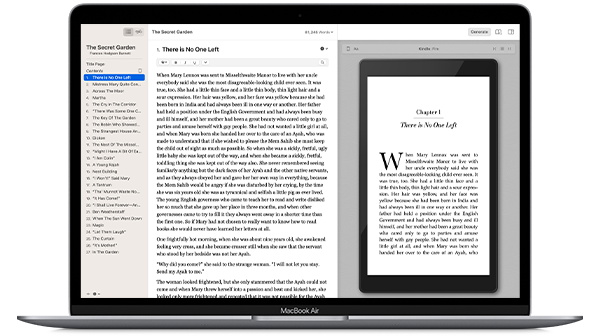
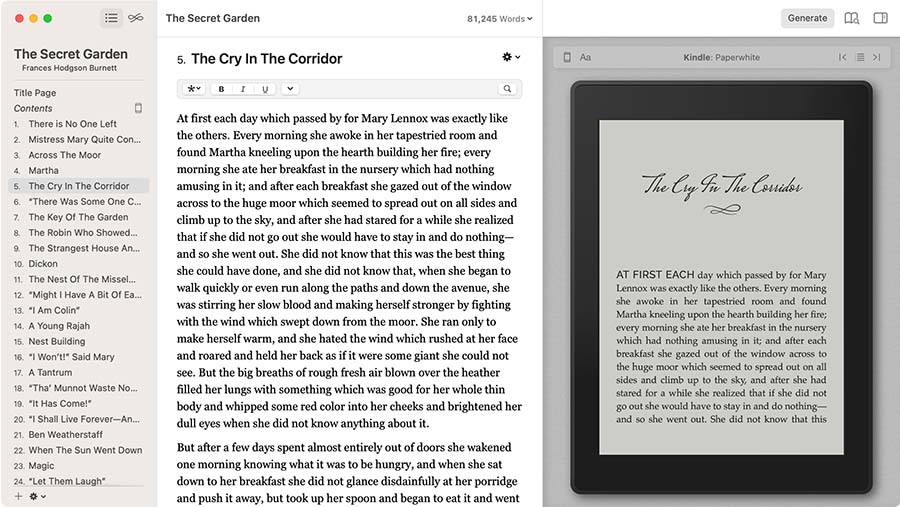
This is the one I recommend when someone is already frustrated.
Because it removes 90% of the problems.
You paste your manuscript in.
Pick a style.
Export.
Done.
Why people love it:
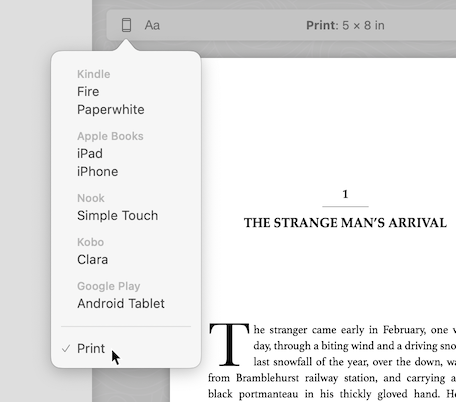
- Live preview (you see exactly how Kindle + print will look)
- Handles chapter titles, TOC, spacing automatically
- Outputs both EPUB and print-ready PDF cleanly
- No weird margin math or CSS nonsense
Where it breaks:
- Mac only
- Limited design control (you’re choosing styles, not designing from scratch)
- Not great for complex books (cookbooks, heavy images, textbooks)
Reality check:
If you’re writing a novel, nonfiction, or simple layout book, this is the fastest path from “manuscript” to “published.”
When You Want Control (But You’ll Pay for It in Time)
Adobe InDesign


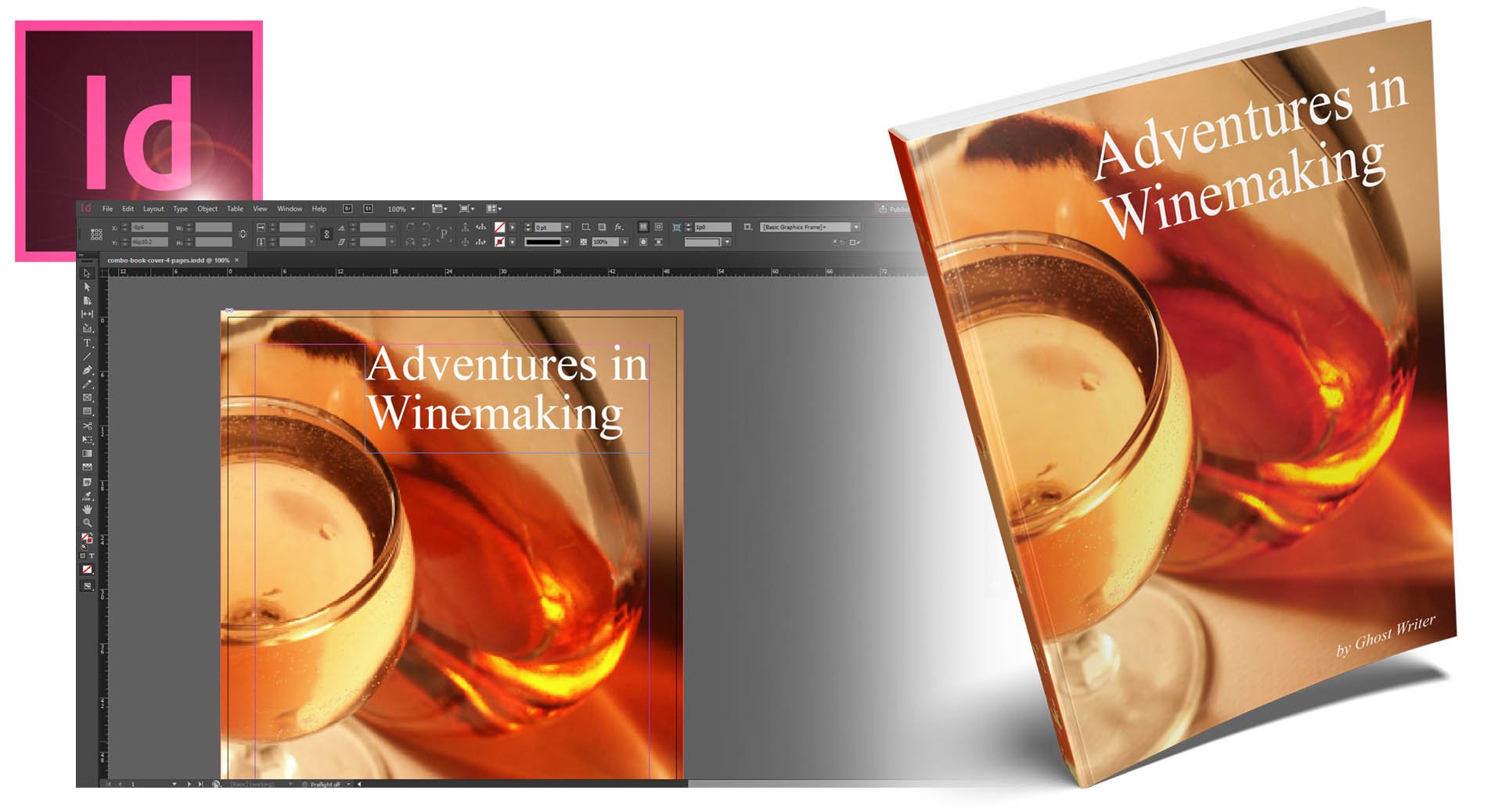
This is the professional tool. Real publishing houses use it.
And yeah—it’s powerful.
You can control:
- Margins down to fractions of a millimeter
- Typography, kerning, line spacing
- Image placement and full-bleed layouts
- Complex layouts (cookbooks, photo books, textbooks)
But here’s the part nobody tells beginners:
You don’t just “use” InDesign. You learn it.
And that learning curve is where most people quit.
Common mistakes I see:
- Wrong trim size → book gets rejected by KDP
- No bleed setup → images cut off at print
- Messed-up paragraph styles → inconsistent spacing everywhere
- Exporting wrong PDF settings → blurry print
Use this if:
- You care about design precision
- You’re doing image-heavy books
- You don’t mind spending time learning
Otherwise? It’s overkill.
The Middle Ground (Underrated but Solid)
Atticus
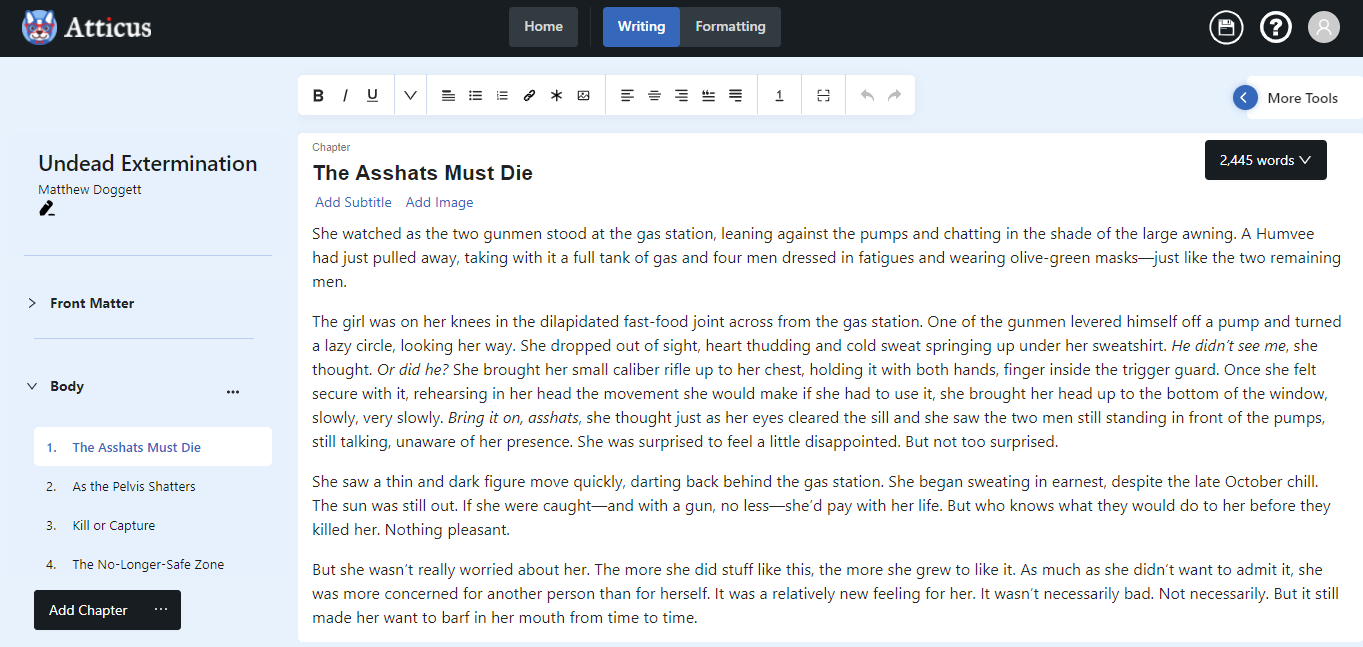
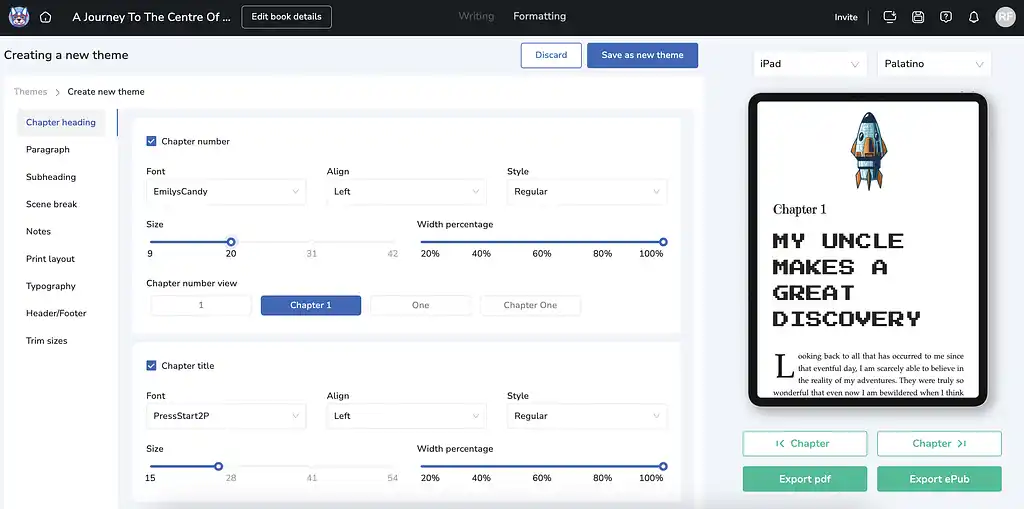
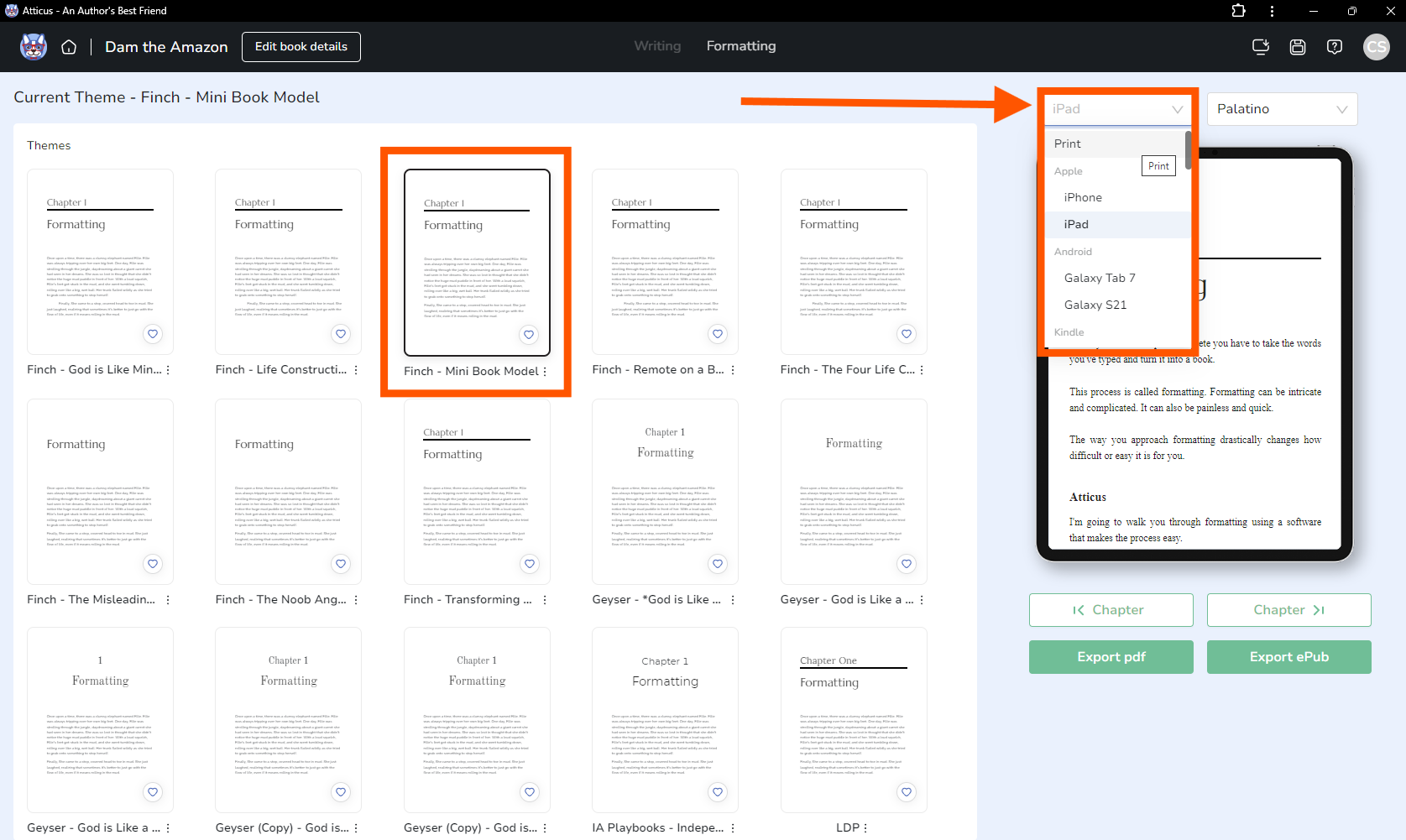
Think of this as a hybrid.
- Works on Mac (and browser)
- Easier than InDesign
- More flexible than Vellum in some areas
What it does well:
- Clean formatting for both print and ebook
- Built-in writing + formatting in one place
- Decent customization without overwhelming you
What it doesn’t do:
- Not as polished as Vellum yet
- Still not a full design tool like InDesign
Good option if you want balance.
The Free Route (But You’ll Fight It)
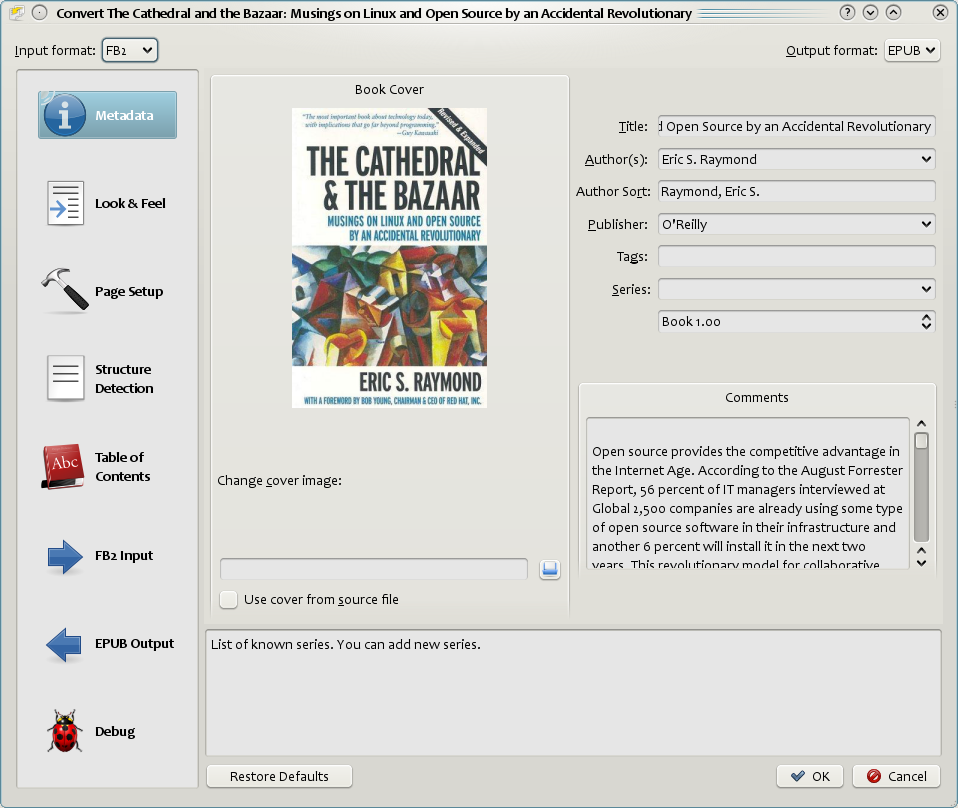
Calibre
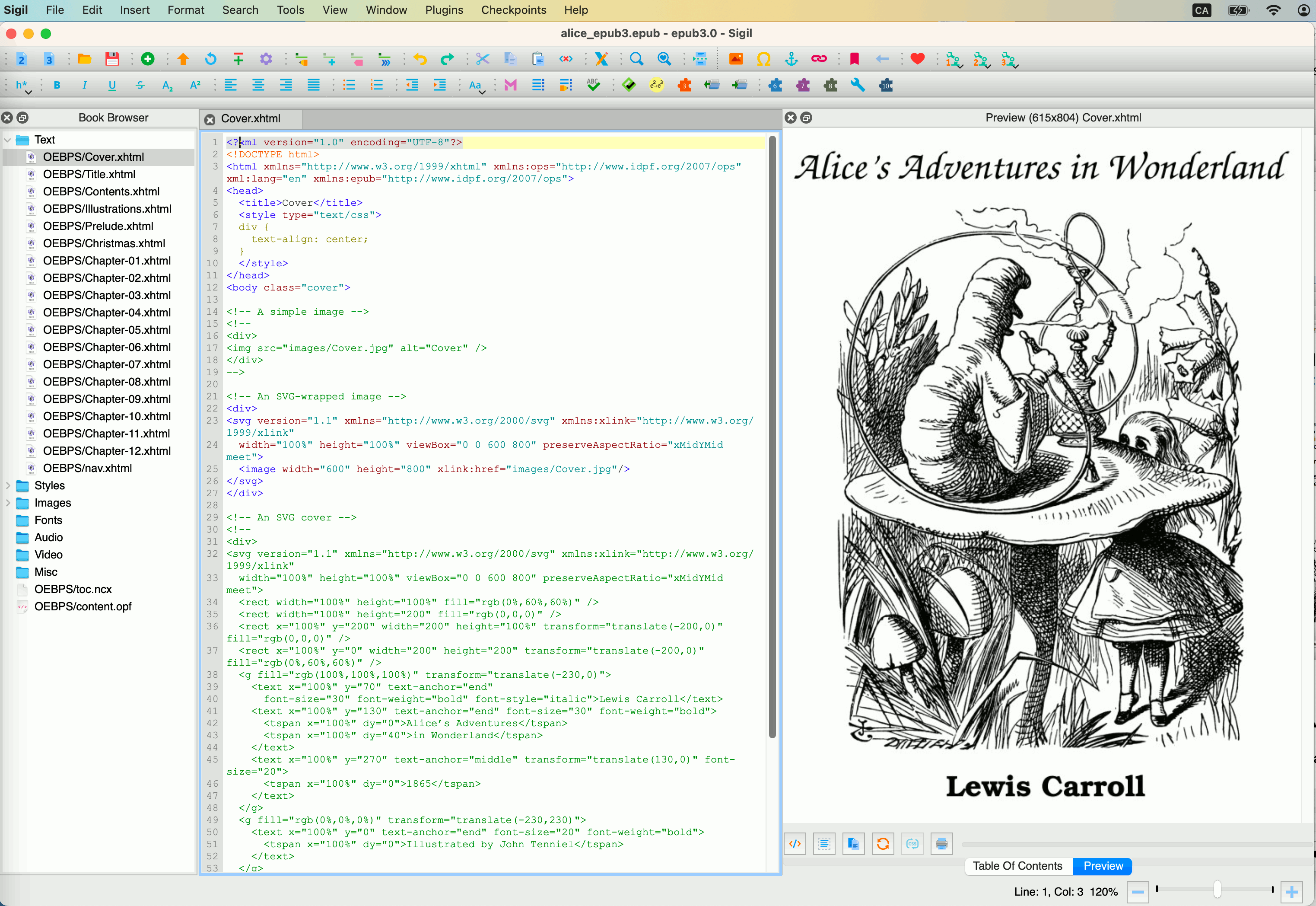
Sigil

4
These are powerful. Also annoying.
You’ll be dealing with:
- EPUB structure (HTML + CSS)
- Broken formatting after conversion
- Random spacing bugs
- Kindle preview inconsistencies
This is where beginners usually say:
“Why is my chapter title centered on page 3 but not page 7?”
Because EPUB is basically a web page.
Use these only if:
- You’re comfortable with HTML/CSS
- You enjoy debugging weird formatting issues
Otherwise, this becomes a time sink fast.
Quick Comparison (So You Don’t Overthink It)
| Situation | Use This |
|---|---|
| I want it fast and clean | Vellum |
| I want full design control | InDesign |
| I want balance | Atticus |
| I want free + don’t mind pain | Calibre / Sigil |
The One Thing I Wish Everyone Knew From Day One
Formatting problems are rarely about the software.
They come from the manuscript itself.
I’ve fixed thousands of “broken layouts,” and 80% of the time the issue was:
- Manual spacing (people hitting spacebar 10 times)
- Mixed fonts and hidden styles
- Tabs instead of paragraph indents
- Copy-paste from Google Docs with garbage formatting
Before importing into any tool:
Clean your manuscript.
Do this once and you avoid hours of headaches.
The “Why Is My Book Still Messed Up?” Moment
If you’ve already tried something and it looked wrong, check these:
- Did you use styles or manual formatting?
- Are your chapter headings consistent?
- Did you preview on actual Kindle format (not just PDF)?
- Are margins matching your trim size?
One small mismatch here → entire book looks off.
That’s the stuff that drives people crazy.
If I Had to Sit Next to You and Pick For You
I wouldn’t overcomplicate it.
- Writing a normal book? → Vellum
- Designing something visual? → InDesign
- Unsure and want flexibility? → Atticus
That’s it.
No rabbit holes. No “top 27 tools” nonsense.
Pick one. Clean your manuscript. Format once properly.
And you’re done.